
Перейти к содержанию
View in the app

A better way to browse. Learn more.

ТЕРРИТОРИЯ СПЕЦНАZА

A full-screen app on your home screen with push notifications, badges and more.

To install this app on iOS and iPadOS
  1. Tap the Share icon in Safari
  2. Scroll the menu and tap Add to Home Screen.
  3. Tap Add in the top-right corner.
To install this app on Android
  1. Tap the 3-dot menu (⋮) in the top-right corner of the browser.
  2. Tap Add to Home screen or Install app.
  3. Confirm by tapping Install.
ВНИМАНИЕ: С 15.09.26Г. НА СЕРВЕРЕ АРМА 3 УДАЛЁН МОД RTS (Russian Tank Series) + ОБНОВЛЁН МОД RHS+

KMS Tools Lite (Portable, PC) 13.04.2024

(0 отзывов)

2 изображения

Автор сборки: Ratiborus

Год выпуска: 2024

Тип: Portable, PC


Системныеные требования:

Windows XP, Vista, 7, Windows 8, 8.1, 10, 11, Server 2008, 2008 R2, 2012, 2012 R2
Office 2010/2013/2016/2019/2021 VL редакций.


Описание:
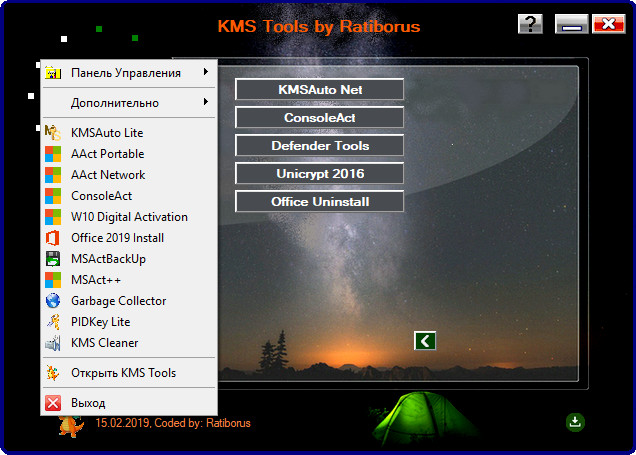
KMS Tools — сборник программ от Ratiborus в одной оболочке, выбираем нужную и сразу можно пользоваться, никакой установки, все полностью портативно. К каждой программе прилагается описание на русском языке.

Обратная связь

Пожалуйста, войдите, чтобы комментировать

Вы сможете оставить комментарий после входа в

Войти

Отзывов нет

Account

Navigation

Поиск

Поиск

Configure browser push notifications

Chrome (Android)
  1. Tap the lock icon next to the address bar.
  2. Tap Permissions → Notifications.
  3. Adjust your preference.
Chrome (Desktop)
  1. Click the padlock icon in the address bar.
  2. Select Site settings.
  3. Find Notifications and adjust your preference.